
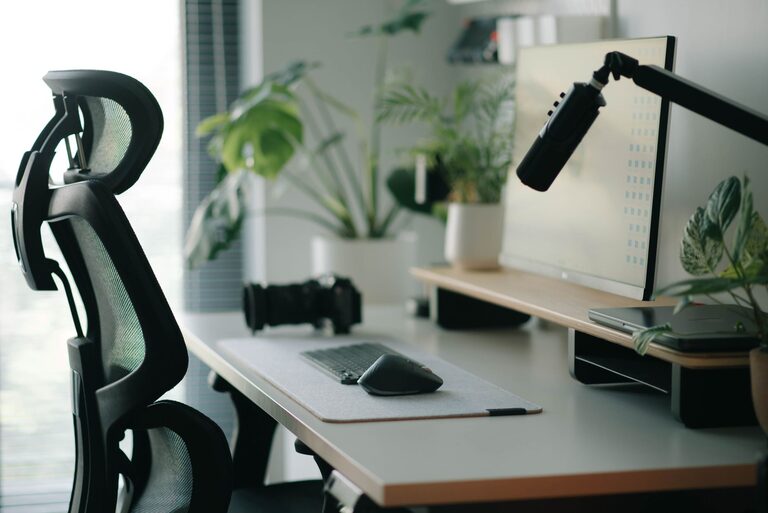
Creating an effective desk setup is key to maintaining focus and comfort throughout your workday. Whether you work from home or in an office, designing a workspace that supports both concentration and physical well-being can improve productivity and reduce fatigue. In this post, we’ll explore practical tips for arranging your desk to help you stay comfortable and focused.
Why Your Desk Setup Matters
Your workspace directly impacts how well you can concentrate and how comfortable you feel while working. A cluttered or poorly arranged desk can cause distractions, discomfort, and even physical strain. On the other hand, a well-designed setup enhances efficiency and promotes healthy posture.
Choosing the Right Desk and Chair
Desk Height and Size
– Height: An ideal desk height is generally between 28 and 30 inches, but this can vary depending on your height. Your forearms should rest comfortably parallel to the floor when typing.
– Size: Ensure your desk is large enough to accommodate your computer, documents, and any peripherals you frequently use without feeling crowded.
Ergonomic Chair
A supportive chair is essential for comfort and good posture.
– Look for chairs with adjustable height and lumbar support.
– Your feet should rest flat on the floor or on a footrest.
– Your knees should be at roughly a 90-degree angle.
Proper Monitor Placement
Position for Reduced Strain
– Place your monitor about an arm’s length away from your eyes.
– The top of the screen should be at or slightly below eye level.
– Use a monitor stand if needed to raise your screen to the correct height.
Multiple Screens
– If using more than one monitor, position them at equal distances and angles so you can easily glance between screens without straining your neck.
Keyboard and Mouse Setup
– Keep your keyboard and mouse close to your body to avoid stretching.
– Your wrists should be in a neutral position, not bent up or down, when typing or using the mouse.
– Consider a wrist rest if you type for long periods.
Declutter and Organize
Keep Essentials Within Reach
Organize your desk so that the items you use most often are easy to access. This minimizes distractions caused by reaching or searching for things.
Use Storage Solutions
– Utilize drawers, shelves, or desk organizers for stationery, cables, and other supplies.
– A clean, organized desk promotes a clear mind and better focus.
Lighting for Comfort and Focus
– Use natural light whenever possible, positioning your desk near a window but avoiding glare on your screen.
– If natural light is limited, invest in a good desk lamp that provides even lighting without harsh shadows or flicker.
– Avoid overhead lights that create glare on your monitor.
Add Personal Touches Wisely
While too many decorations can distract, a few personal items like a plant, photo, or artwork can make your workspace more inviting and comfortable. Plants, in particular, can improve air quality and reduce stress.
Keep Movement in Mind
Sitting for long periods can be harmful, even with a perfect desk setup.
– Take short breaks every hour to stand, stretch, or walk around.
– Adjust your chair or desk setup to encourage good posture.
– Consider using a sit-stand desk if possible.
Cable Management
Tangled cables can clutter your space and add unnecessary distractions.
– Use cable clips or sleeves to keep cords organized.
– Keep power strips and chargers neatly tucked away to create a tidy environment.
Temperature and Air Quality
– Ensure your workspace is well-ventilated and at a comfortable temperature.
– If needed, use a fan or heater to maintain a steady, comfortable climate.
Summary: Key Tips for a Productive Desk Setup
– Choose an ergonomic chair and desk at the right height.
– Position your monitor to reduce neck and eye strain.
– Keep your keyboard and mouse close and comfortable.
– Organize your desk to minimize clutter.
– Use appropriate lighting to avoid eye fatigue.
– Add minimal personal touches for a welcoming feel.
– Remember to move regularly and manage cables effectively.
– Maintain a comfortable room temperature and fresh air.
By putting these desk setup tips into practice, you can create a workspace tailored for focus and comfort. A well-organized, ergonomic environment encourages productivity and supports your well-being throughout the day.